A system that makes and publishes short vertical videos every day without anyone touching it. Agents write, voice, render, check and schedule. A human only answers a few questions a day. The machine gives you volume. Money comes from strong videos and a short path to the purchase, so measure the funnel from day one.
The funnel, with real numbers
views → profile visit → link tap → sign-up → purchase.
Two honest results from our own runs:
- 30 days: 114K views → 0.28% visited the profile → 15% of those tapped the link → 0 sign-ups.
- ~280 reels: 32K views → 6 sign-ups → 0 sales.
Cheap views from trial reels sell nothing on their own. Every step after the view has to be designed and measured.
Alarm thresholds (our rules of thumb, not platform benchmarks):
| step | alarm below | if it's low, fix |
|---|---|---|
| view → profile visit | 0.5% | The video isn't about what you sell, or the ending gives no reason to visit. |
| profile → link tap | 5% | The grid, bio and pinned posts don't explain the offer. |
| link tap → sign-up | 5% | The video's promise doesn't match the page. A reel that promises "make money with AI" and lands on a software product kills the click. |
| sign-up → purchase | 1% | The offer, price, or paywall placement. |
Tag every video so you see money, not views. Give each reel its own comment keyword, UTM tag or referral code. Per-video stats then show the clicks and users it brought.
Instagram setup
Reach ~200 followers to unlock trial reels. We bought ours to get there in a day. Know the risks:
- Bought followers are useless for reach.
- Meta purges them, and the account can be restricted.
- If the count drops below the threshold, trial reels switch off at once and every queued post fails.
Keep a margin, or grow the first 200 organically if the account matters.
Use trial reels as the main channel. They are shown to non-followers. Posts to followers get almost no views.
Graduate to the grid only by hand, and only videos that convert: the clearest how-it-works, proof and offer videos, not the most viewed ones. Keep at least 9–12 posts on the grid. An empty grid kills profile visits: one account had 308 followers, 6 posts and 0 link taps.
One well-known link in the bio. Instagram suppresses unknown short links. Add a comment-keyword → DM automation (ManyChat, an official Meta partner).
TikTok equivalent: a clickable bio link only appears on a Business account (or after a follower threshold). Without it, the link is plain text and all TikTok traffic is lost. Set this up before posting.
Volume and limits
| platform | daily cap | spacing | notes |
|---|---|---|---|
| 25 API publishes per rolling 24 h per account; plan 22 | ~35 min (e.g. 07:16 UTC + 35 min × k) | Failed attempts eat the quota too, so one overflow spills into the next day. After an error streak, delete the errored posts and reschedule them more than 24 h later. | |
| TikTok | no fixed number | ≥60 min | Ramp 1 → 2 → 3 a day, then raise until it pushes back. Use direct post with the "made with AI" flag, and no links in captions. |
| YouTube Shorts | untested | The same file, nearly free. A hypothesis we haven't checked yet. |
More volume means more accounts, each with its own formats and hypotheses, not copies. Render capacity is effectively unlimited: one GPU PC renders a reel in ~1–1.5 min at 8 in parallel.
How to split 22 slots a day:
- No format family over ~30%. Viral but irrelevant content (we had fruit-cutting) brings views from the wrong people.
- 5 new hypotheses × 2 videos, built from breakdowns of 50K+ hits in your niche.
- Spikes: a reel at ≥5× the format median or ≥1,000 views gets 3–5 variations within 24 h.
- Kill rule: 6+ posts with a median under 300 views means the format is dead.
Every video must connect to what you sell.
Low views mean weak videos. If a format sits at its median, change the hook, the idea or the delivery. More volume or a different posting time won't fix it.
Comparing fairly
- Compare videos at the same age (48 h). Use the median per format, not the mean.
- Night posts start slowly. They look weak at 8 h and catch up by ~14 h, so don't judge early.
- 0 views after 24 h means the reel was suppressed: a near-duplicate, the music, or the text. Detect this automatically, log the cause and don't repeat it.
Writing the scripts
- A format is a JSON schema: hook, beats, on-screen text, voice, music, layout, ending, CTA. Agents fill it in. They don't freestyle.
- Keep a hook bank and a banned-phrase list, and grow both from the stats.
- A/B the hook on the same body: one video with 2–3 different first 2 seconds. This is the cheapest hypothesis. Do the same with endings.
- A human watches the first 2–3 videos of a new format before it goes into the stream.
What makes a video work
- The first frame is the hook. Open on one concrete pain or a visual promise (a list of 5 icons, a counter, a number). The threat lands by about 2.5 s.
- Something changes every 1–1.5 s: a counter ticks, an item appears, a colour flips. Use few hard cuts and one hero object that keeps changing.
- One sentence is one slide. Caption 1 to 5 words at a time, and highlight only the key word.
- Don't open too fast. If the viewer has to read, slow the whole reel by about 1.4×.
- One action, shown on screen. "Link in bio" doesn't fit every product. If the product works in DMs, the call is "send the reel to @account", and the video shows that action. Videos that showed the exact action brought users. Videos that only got reach brought none.
- The ending decides the click. Use proof → the 9-to-5 fear of missing out → an explicit, near promise → the action. Avoid clever slogans. In our test, a "this week" promise beat "in 2 days" on the same videos, but that was one batch in one niche. Test your own.
- Calm voice-over, with emphasis only on the key line and no shouty sales tone. Cast voices with test lines, and drop the ones that flop by the numbers.
- 9:16 safe zones: keep text above the bottom ~300 px, left of the right-hand icon column, and below the top bar.
- Quality: 60 fps, x264 slow at CRF 12–14, high@4.2, yuv420p bt709, faststart, AAC 256k. Re-encode to under 60 MB for uploads. Never run two lossy passes.
- Originality: recreate formats with your own footage, copy and voice. Never re-upload someone else's video.
Scouting other accounts
- Find 3 to 5 fast-growing reference accounts in your niche and follow them, so the feed and Explore learn your niche.
- Keep a table per account: reel code, views, length, a one-line note. Re-read it daily and flag reels over ~50K views or sudden jumps.
- Download flagged reels for internal analysis only, with
yt-dlpor the top rendition from a logged-in browser's network entries. - Break each one down:
- a word-level transcript (Whisper via fal, ~$0.02);
- 1 fps contact sheets;
- a beat table: time, voice-over, words on screen, visual;
- the numbers: words per second, phrase cadence, cuts, palette, how the hook and CTA work.
- Make it a hypothesis: the same mechanic in your own design, 2 videos. Log it (idea, source, files, date, 48 h views, verdict) and kill or scale it after 48 h.
The no-human workflow
- Nightly scheduler (a cron-triggered agent): checks the 24 h quota, schedules tomorrow's 22, and starts production when the queue holds less than 2 days.
- Production agent: picks the mix from the stats, then fills format schemas with specs.
- Voice: ElevenLabs v4 via fal, with word timestamps. Every visual and sound cue is timed from them.
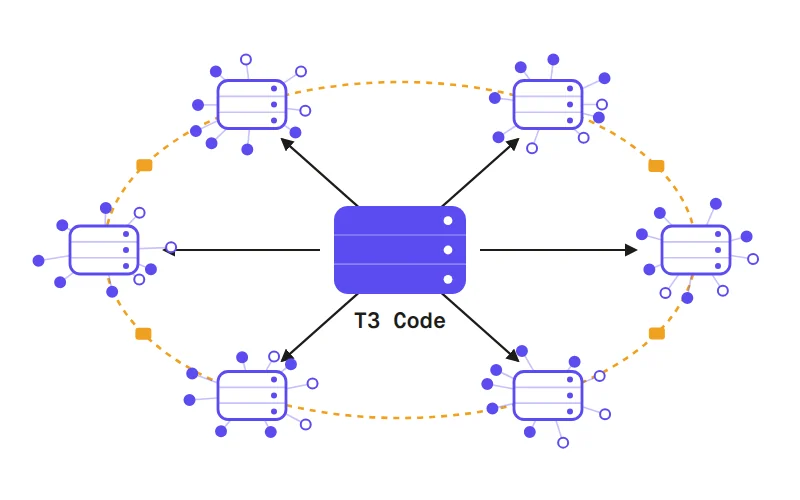
- Render: Remotion from one shared bundle on a GPU PC over Tailscale (about 8× faster). If the PC is down, fall back to the server under a CPU quota.
- Mix: voice at −14 LUFS, music 18 to 26 dB under it with sidechain ducking, a limiter with
level=false, thenloudnorm. - Automated QA before queueing:
- frames at 0.3 s, the middle, the payoff and the last frame in one sheet;
- the ending is there;
- no text in the safe zones;
- a perceptual-hash near-duplicate check against the last 30 days;
- duration, loudness and file size.
- Publish:
- upload to a public bucket (Cloudflare R2, because Postiz needs public URLs);
- schedule with Postiz:
is_trial_reel: true, manual graduation, caption plus hook.
- Stats: every video goes into a stats database with its variables (hook, voice, ending, layout, music, tag). The Instagram Graph API
/insightsreturns per-reel views, reach, saves, shares, average watch time and skip rate, including for trial reels. Profile visits and follows are not available per reel, so per-video tags carry attribution. - Digest: once a day, an agent sends numbers, conclusions and numbered decisions. The human answers yes or no, and the next night's batch uses the answer.
Publishing hygiene:
- Never publish the same file twice. Keep a publish log.
- Postiz can't edit a post. To change a caption or date, delete the post and recreate it.
- Before a mass upload, compare each file's size in the bucket with the local file, so you never publish a stale render.
What didn't work
- Near-identical videos back to back taught us nothing and wasted slots.
- One format took over the feed. It brought views but the wrong audience.
- Videos went out without the ending. No ending means no click, so every video now gets an automatic last-frame check.
- Gemini "heard" splices that weren't there, and missed real ones. Verify music and sound-effect judgements by measurement.
- Paid AI music was regenerated 11 times for $13 on one film. Use free licensed music. Paid music needs approval.
- Renders overloaded the shared server. Render on a dedicated GPU machine, or cap CPU on the server.
Money
| item | price |
|---|---|
| voice-over (ElevenLabs v4 via fal) | $0.08 / 1k characters, ~$0.10 per take |
| AI still (Nano Banana Pro) | $0.15 |
| AI video (Kling v3 Pro image-to-video) | $0.14 / s, $0.70 per 5 s |
| sound effects | ~$0.002 / s, or a reusable free kit |
| paid AI music | $0.60 per started minute: only with approval |
| stock footage and music (Mixkit) | $0 |
Spend flags per video:
| spend | flag |
|---|---|
| ≤ $1 | normal |
| $1.50 | hard cap for mass videos |
| > $5 | yellow: say what's being bought |
| > $10 | stop: approval required |
Set an alert on the fal balance so money doesn't run out mid-batch.
Stack
| job | tool |
|---|---|
| video as code | Remotion + React + TypeScript |
| 3D and physics | Three.js, WebGPU sims; numpy + PIL for procedural renders |
| voice-over | ElevenLabs v4 via fal: library voices, pace via audio tags, word timestamps |
| sound effects | ElevenLabs sound effects (one reusable kit) |
| AI shots, only when needed | Nano Banana Pro still → Kling v3 Pro image-to-video (also Seedance, Wan) via fal |
| transcripts and listening QA | Whisper via fal, Gemini |
| footage and music | Mixkit free stock and music |
| audio and encode | ffmpeg |
| downloads for analysis | yt-dlp, Playwright |
| scheduling | Postiz (API or MCP), with Instagram and TikTok connected |
| media hosting | Cloudflare R2 |
| comment → DM | ManyChat |
| render node | a GPU PC over Tailscale, Remotion --gl=angle |
Appendix: render and ops traps
- Fonts: embed them as base64 in CSS and await them in the root component. Otherwise renders hang on font loading. Keep retries anyway, because it still flakes under load.
- Grain: a full-frame SVG
feTurbulencemade renders 4× slower. Use pre-rendered PNG noise tiles. - Long renders: render in chunks with retries, then concat with
-c copy. - Remotion breaks on TypeScript 7. Pin TypeScript 5.x.
- Server renders only run under a CPU quota and
nice, with at most 2 jobs in parallel. - Bundles: render every video from one pre-built bundle, and clean up temporary Remotion bundle folders, or the disk fills up.
- The queue file: the scheduler and the production agent write to the same queue file. Let the scheduler take its slots first, then start the agent.
- A fallback path for when the render machine is off.
- MCP connectors sometimes drop and need reconnecting. Check them in the nightly run.